For photo prints, choose a flatbed scanner, preferably with the following features:
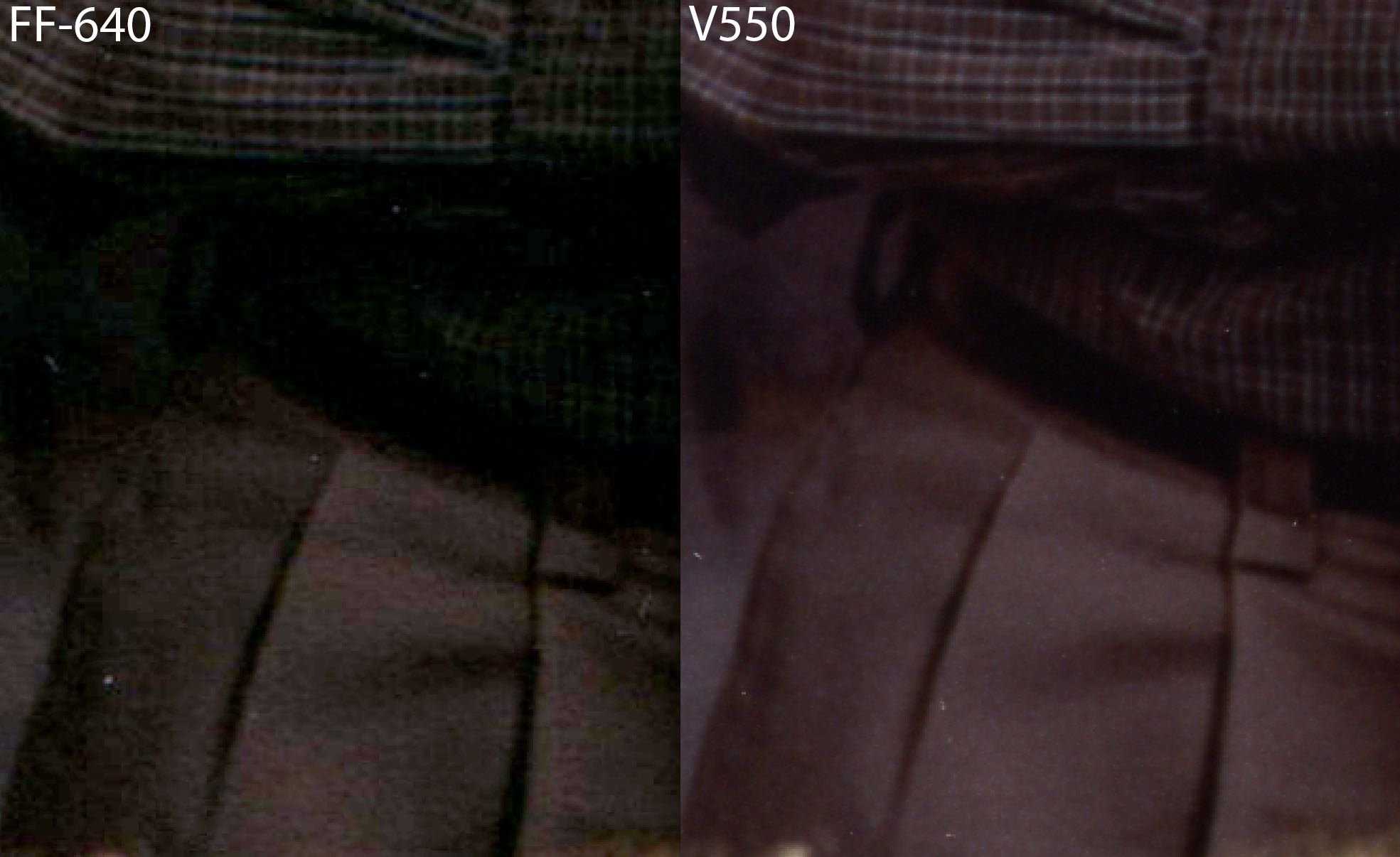
Do not use a sheetfed scanner or document loader as it may scratch or tear the photo, and the image quality is noticeable worse2). See this photo for a visual comparison. See comparison of scanner types for more information.
Even if your scanner does not meet all of the above requirements, don't let that stop you. Your photos are slowly deteriorating so it's important to preserve them as well as you can, as quickly as possible.
The least expensive scanners have a Contact Imaging Sensor (CIS). This has the least distortion and therefore provides good results for smooth, untextured photos.
If you need to scan something that won't lay flat on the scan bed, such as a photo album page that's too big for the scanner, then choose a scanner with a Charge Coupled Device (CCD) sensor. This prevents pixellation artifacts when the item is not laid flat on the scanner. The disadvantage of CCD scanners is that the lens can cause minor distortion in scans3)4).
A scanner that supports VueScan's “Show Texture” feature, when the feature is turned off, illuminates the photo from multiple angles to reduce shadows caused by textured photo paper.
After purchasing your scanner, do a scan with nothing in the scanner, boost the contrast, and check for anomolies such as vertical colored lines7).